Copy up to 20 ad set in one go
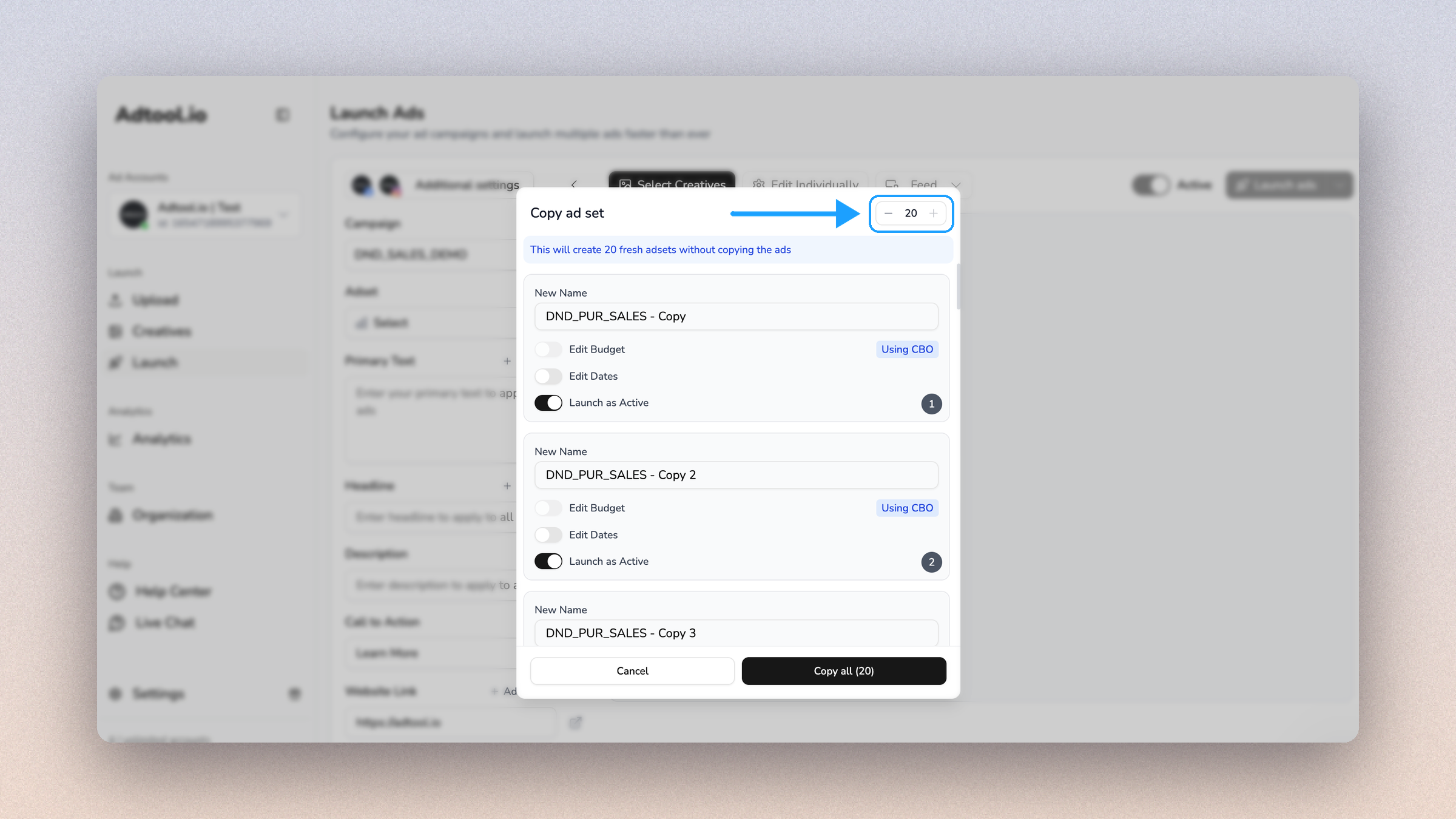
You can now create several copies of an ad set in one go, and the creation will happen in the background, so you can continue your work.
Open the ad set dropdown in the launch flow, click the copy icon on an ad set, and:
Use the + and − buttons at the top of the dialog to choose how many copies you want, up to 20
Give each copy its own name, budget, dates and status (active or paused)
Click Copy all, and the dialog closes right away
The new ad sets appear at the top of the ad set dropdown while Meta creates them. Finished copies turn green so you can spot them.
The copies are new, empty ad sets. Ads inside the original are not copied. If the campaign uses a campaign budget, the budget field stays off for the copies.
This should make it faster to set up ad sets that only differ in name, budget or schedule.